NOL Card Balance Check Online: RTA Website, Apps & Offline
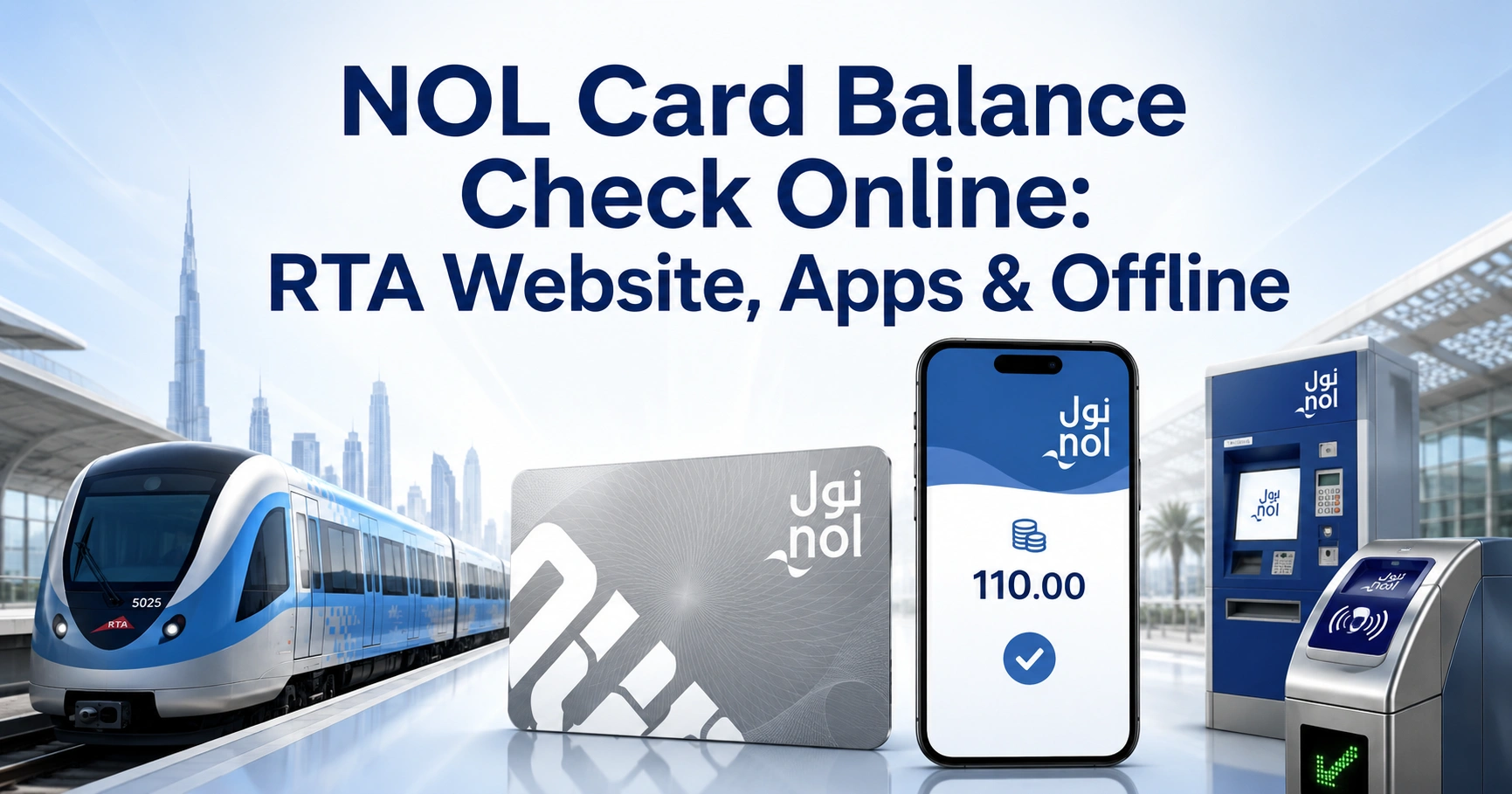
A NOL card balance check helps you confirm how much travel credit remains before using the Dubai Metro, public buses, Dubai Tram or RTA marine transport. The fastest method is to enter the card’s Tag ID on the official RTA website, which displays the available balance without requiring an RTA account or UAE Pass login.
You can also use the nol Pay app, an RTA ticket vending machine or a station ticket office. This guide explains every reliable method, where to find your NOL Tag ID, how pending top-ups work and what to do when your balance does not update.
For instant online enquiry, you can visit NOL Card Balance Check.
Quick NOL Card Balance Check
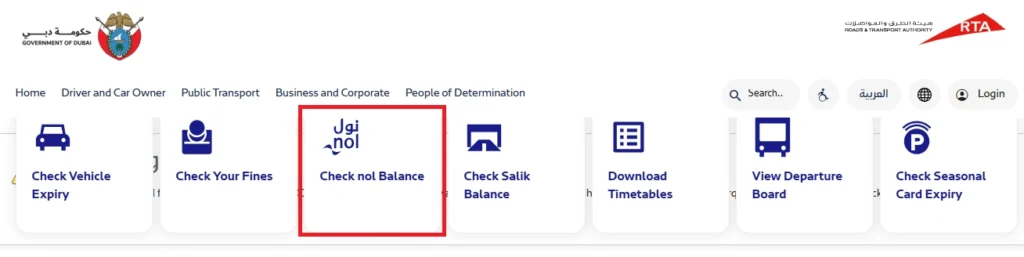
To check your NOL balance online:
- Open the official RTA website.
- Find the Check nol Balance section.
- Enter the NOL Tag ID printed on your card.
- Complete the security verification if requested.
- Select Search.
- View the available balance shown on the screen.
The RTA quick service only asks for the NOL Tag ID, making it suitable for residents, commuters and tourists who need a quick enquiry without signing in.
NOL Balance Check Methods Compared
| Method | What You Need | Internet Required | Best For |
|---|---|---|---|
| RTA website | NOL Tag ID | Yes | Quick online checks |
| nol Pay app | NFC-enabled phone and physical card | Yes | Instant card reading and top-up |
| RTA Dubai app | Tag ID or NFC-compatible phone | Yes | Managing several RTA services |
| Ticket vending machine | Physical NOL card | No | Metro station users |
| Ticket office | Physical NOL card | No | Help from station staff |
| Solar top-up machine | Physical NOL card | No | Selected bus stops |
| Metro gate or card reader | Physical NOL card | No | Checking after a journey |
| Transaction receipt | Latest payment receipt | No | Confirming the last recorded balance |
The official RTA channels include the website, nol Pay, RTA Dubai, S’hail, ticket vending machines, ticket office machines and selected solar top-up machines.
How to Check NOL Card Balance on the RTA Website
The RTA website is the easiest option when you have the card number but cannot scan the physical card with a phone.
Step 1: Open the Official RTA Balance Checker
Go to the official RTA Check NOL balance service.
Make sure the address belongs to the official Roads and Transport Authority website. Avoid entering your NOL details on unknown pages that request unnecessary personal or banking information.
Step 2: Locate the Check NOL Balance Section
Scroll until you see the Check nol Balance box. The service may appear among other RTA quick services such as vehicle expiry, traffic fines and Salik balance enquiries.
Step 3: Enter Your NOL Tag ID
Type the Tag ID exactly as printed on your physical card. Check every digit before submitting because one incorrect number may return an invalid-card message or no result.
Step 4: Submit the Enquiry
Select Search or Check after completing any security verification displayed on the page.
The system should then show your recorded NOL balance. The RTA page identifies the Tag ID as the information required for this quick enquiry.
Where Is the NOL Tag ID Located?
The NOL Tag ID is the identification number printed on the physical card. It allows RTA systems to retrieve the card record for balance enquiries, top-ups, registration and other NOL services.
Look on the back of your Silver, Gold or personalised NOL card. Do not confuse the Tag ID with a payment reference, application number, receipt number or PIN.
Tips for Entering the Tag ID Correctly
- Enter every digit in the same order shown on the card.
- Do not add spaces, hyphens or extra symbols.
- Check whether any printed digit is scratched or faded.
- Keep the card under good lighting when reading the number.
- Never share a card PIN or UAE Pass verification code with another person.
How to Check NOL Balance Using the nol Pay App
The nol Pay app is the official RTA application for reading card information, checking the balance, topping up, purchasing travel passes and managing eligible NOL cards. It uses the phone’s NFC function to communicate with the physical card.
Download the Official nol Pay App
Both store listings identify Roads and Transport Authority as the app developer.
Steps to Check the Balance with NFC
- Install and open the nol Pay app.
- Sign in using your UAE Pass or RTA account when requested.
- Turn on NFC in your phone settings.
- Select the option to check or manage a NOL card.
- Hold the physical card against the phone’s NFC reading area.
- Keep the card still until the scan finishes.
- Review the balance and card information displayed in the app.
The NFC sensor may be near the upper back, centre or camera area, depending on the phone model. Remove thick cases, metal attachments or magnetic wallets if the card is not detected.
How to Check NOL Balance in the RTA Dubai App
The RTA Dubai app combines transport, traffic and licensing services in one application. Users can access NOL-related functions by entering the Tag ID or scanning a supported card through NFC.
Download RTA Dubai
Steps to View Your Card Details
- Open the RTA Dubai app.
- Sign in with UAE Pass or your RTA account where required.
- Open the NOL services section.
- Select your linked card or enter its Tag ID.
- Use NFC scanning when available.
- Review the balance shown in the card details.
Using NFC is particularly useful after a recharge because the app can read the value stored on the physical card rather than relying only on an online transaction record.
Check NOL Card Balance at a Metro Station
You can check your card without a smartphone by using a ticket vending machine at a Dubai Metro station. RTA confirms that ticket vending machines are available at Metro stations and can read and top up NOL cards instantly.
Using a Ticket Vending Machine
- Place the physical NOL card on the machine’s card reader.
- Wait for the machine to recognise it.
- Select the balance enquiry or top-up option.
- Read the current amount displayed on the screen.
- Remove the card after the machine finishes reading it.
Do not remove the card too early during a recharge. RTA instructs users to keep it on the reader for several seconds so the new value can be written correctly to the card.
Asking at a Ticket Office
You can also hand the card to a station agent at a ticket office. The agent can place it on the official reader, confirm the balance and help you recharge if necessary.
This method is useful when the Tag ID is unreadable, the vending machine rejects the card or you need help understanding a pending top-up.
Check NOL Balance at Bus Stops and Other Machines
Selected bus stops have solar top-up machines that can read and recharge physical NOL cards. Place the card on the reader and follow the instructions shown on the machine.
You may also see the remaining balance after tapping at a compatible card reader, Metro gate or payment device. Pay attention to the screen because the amount may appear briefly after the transaction.
Check the Balance on a Journey or Top-Up Receipt
A receipt issued after certain NOL transactions may show the available balance after payment. This can provide a quick reference when you do not have access to the website or app.
However, a receipt only reflects the amount recorded at the time it was printed. Use the official RTA checker, nol Pay app or a card-reading machine when you need the most recent card value.
What Is the Minimum NOL Card Balance for Travel?
RTA states that a NOL card must generally contain at least AED 7.50 to use public transport. If the balance is below the required amount, a Metro gate may not open even when the planned journey appears inexpensive.
Check the card before entering a station or boarding a bus. Keeping additional credit above the minimum reduces the risk of being unable to start a journey or complete a transfer.
Minimum Balance Versus Actual Fare
The minimum entry balance is not the same as the final fare. Your travel cost depends on factors such as:
- The number of fare zones crossed
- The type of NOL card used
- Transfers between Metro, tram and buses
- Eligibility for a concessionary fare
- Gold Class or regular-class travel
RTA calculates and deducts the appropriate fare when the card is tapped correctly at the beginning and end of the journey.
Why Is My NOL Top-Up Not Showing?
An online payment can be successful while the amount remains pending on the physical card. This happens because some recharge methods require a separate activation step before the new credit becomes usable.
RTA states that top-ups made through channels that use the Tag ID may require a waiting period of 45 minutes to four hours, followed by activation through an approved device.
How to Activate a Pending NOL Balance
After the waiting period, activate the recharge through one of these supported options:
- Scan and tap the card through the nol Pay app.
- Use NFC in the RTA Dubai or S’hail app.
- Tap the card at a Dubai Metro gate.
- Use a compatible parking meter.
- Use a solar top-up machine at a supported bus stop.
A bus validator cannot activate an online top-up that is still pending. The credit must be activated before you depend on it for bus travel.
When the Recharge Is Available Instantly
The amount is normally available immediately when the card is recharged and written directly through:
- The nol Pay app with a successful second NFC tap
- RTA Dubai or S’hail using NFC
- A Metro ticket vending machine
- A ticket office machine
- A solar top-up machine
- An authorised sales agent
When using nol Pay, keep the card against the phone after payment until the app confirms that the balance has been loaded. Removing it before the second tap finishes may leave the amount incomplete or pending.
NOL Card Balance Limits
RTA applies different maximum stored-value limits according to whether the card is anonymous, registered or personal.
| NOL Card Status | Maximum Stored Balance |
|---|---|
| Anonymous NOL card | AED 1,000 |
| Registered NOL card | AED 5,000 |
| Personal NOL card | AED 5,000 |
Online channels may also impose transaction-specific top-up limits even when the card can hold a higher total amount. RTA currently lists a maximum online top-up of AED 150 for NOL card types through its online channels.
Does a NOL Balance Check Show Pending Credit?
The amount shown can depend on how the card is being checked. A web account may recognise the payment transaction, while the physical card may continue to hold its previous usable value until activation is completed.
For the most reliable confirmation after an online recharge, scan the physical card using nol Pay or place it on an official RTA machine. This confirms the value actually loaded onto the card’s e-purse.
NOL Balance Not Updating: Common Problems and Fixes
Incorrect Tag ID
Recheck every digit printed on the card. Do not use a receipt number, top-up reference or personal card application number.
Recharge Is Still Pending
Wait between 45 minutes and four hours when the payment was made through a channel that requires delayed activation. Then tap the card through nol Pay, a Metro gate, parking meter or solar machine.
NFC Is Not Switched On
Open the phone settings and enable NFC. Some devices place this option under connections, connected devices or contactless payments.
Phone Cannot Read the Card
Remove the phone case and move the card slowly around the back of the device. Hold it still for several seconds once the NFC sensor responds.
Card Was Removed Too Soon
During an NFC recharge, the card usually needs to be tapped again after payment. Keep it in position until the app confirms completion.
Card Is Expired or Blocked
RTA states that top-up amounts cannot be activated on expired or blocked cards. Contact RTA or visit a station ticket office when the card remains unreadable across several official devices.
Website Is Temporarily Unavailable
Try the nol Pay app, RTA Dubai app or a Metro station vending machine. Clearing the browser cache or switching to another browser may also help when the official page does not load correctly.
Online NOL Balance Check Safety Tips
A legitimate balance enquiry should not require your bank PIN, card security code or UAE Pass password.
Follow these precautions:
- Use the official RTA website or verified RTA applications.
- Confirm the app developer is Roads and Transport Authority.
- Do not provide an OTP to anyone offering to check your balance.
- Avoid unofficial APK download websites.
- Do not save sensitive payment details on a public device.
- Log out after accessing a linked RTA account on a shared phone.
- Keep screenshots containing card details private.
Which NOL Cards Can Be Checked?
The available balance can be checked for the main physical NOL products, including:
- Silver NOL card
- Gold NOL card
- Personal or Blue NOL card
- Registered Silver or Gold card
- Eligible virtual NOL cards
- Red Ticket where supported by the reader or service
Some management features, refunds and balance protection options depend on whether the card is registered or personalised. Registering an eligible Silver or Gold card can also help protect the stored balance if the card is lost or misplaced.
Best NOL Balance Check Method for Different Users
Daily Dubai Metro Commuters
Use the nol Pay app with NFC. It lets you check the physical card value and recharge without searching for a vending machine.
Tourists and Occasional Visitors
Use the RTA website when you only need a quick NOL card balance check. A Metro vending machine is also convenient when mobile data is unavailable.
Users Without an NFC Phone
Enter the Tag ID on the RTA website or use a ticket vending machine, ticket office or solar top-up machine.
Families Managing Several Cards
Link eligible cards to an RTA account and use the app’s card-management features. The latest nol Pay service also supports family card management for eligible users.
Users Who Have Just Recharged Online
Check with nol Pay or an official physical reader after completing the required activation. Do not rely only on the payment confirmation message.
Frequently Asked Questions
How can I check my NOL card balance online?
Open the official RTA quick-services page, find the balance enquiry box and enter the Tag ID printed on your card. The online NOL card balance check normally does not require an RTA account or UAE Pass. Submit the enquiry to view the available recorded balance.
Can I check a NOL card balance without an app?
Yes. Complete a NOL card balance check through the RTA website using the card’s Tag ID. You can also place the physical card on a ticket vending machine at a Dubai Metro station, use a solar top-up machine or ask an employee at a station ticket office.
Where can I find the number needed for a NOL card balance check?
Use the NOL Tag ID printed on the physical card. Enter it exactly as shown when completing an online NOL card balance check. Do not enter your receipt reference, payment transaction number, personal-card application number, UAE Pass details or any banking information in the Tag ID field.
Why is my NOL balance unchanged after an online recharge?
Some online top-ups remain pending for 45 minutes to four hours and must be activated. After waiting, scan the card with nol Pay or tap it at a Metro gate, parking meter or solar machine. Repeat the NOL card balance check after activation to confirm the updated amount.
What is the minimum NOL balance required for Dubai public transport?
RTA generally requires at least AED 7.50 on the card to use public transport. Complete a NOL card balance check before leaving, even when the expected fare is lower. A Metro gate may not open when the stored value is below the required minimum entry balance.
Can I check my NOL balance using an iPhone?
Yes. Download the official nol Pay app from the Apple App Store, enable NFC and hold the physical card near the iPhone’s reading area. The app can perform a NOL card balance check, display card information and support top-ups, although NFC detection may vary by device position.
Does the RTA NOL balance checker require UAE Pass?
The quick online NOL card balance check only displays a field for the NOL Tag ID and does not require a UAE Pass login. UAE Pass may be requested for account-based services such as managing linked cards, registering a card, requesting certain refunds or accessing personalised NOL functions.
Can I check a NOL balance at a Dubai Metro station?
Yes. Place your card on an RTA ticket vending machine or ask a ticket-office employee to read it. This method provides a physical-card NOL card balance check and is useful when you lack internet access, cannot read the Tag ID or your phone does not support NFC.